Showing posts with label Tips. Show all posts

7.11.17

How to run Lego Boost on an Android Phone

Lego Boost is the new "creative toolbox" from Lego for kids (Lego NXT is designed for ages greater than 14, whereas Lego Boost was labeled for ages "7-12") to build robots which comes with a set of 5 models to be built.
According to official information, you need to have an Android tablet or an iPad in order to run Lego Boost app (and also Kindle, but there is no Windows application, yet). And this app works only after Android version v5.x.

But what to do, if you have only an Android phone? Well, you cannot donwload Lego Boost app from Google's Playsore ("This device is not supported").
If you try to download Lego Boost apk file from APK-downloader sides, it won't run on your phone..

But there is a way to overcome this: APKPure


APKPure's app enables to run XAPK files, which you can download also from their website.

After installing APKPure on your Android phone, search for Lego Boost and download XAPK file:


You can also download APK files, and older versions if you scroll down:


Now you can run Lego Boost from Android phone without any restriction (well, on an 5.5" screen a bit tight but makes fun working with it)

1.7.14

How to get rid of insufficient storage available error on Samsung Note I

By opening the SysDump with the special code 

  1. Open the "Phone" app and switch to Keypad.
  2. Dial *#9900#
  3. On the screen "SysDump" appears with some buttons, click on the button labelled "Delete dumpstate/logcat".
  4. Do not forget the exit SysDump with "Exit" button at the end.
(Source:  http://stackoverflow.com/questions/16818049/...)

29.6.14

Windows 8.1 WLAN Hotspot Access Point with board instruments

Windows has with netsh command very useful instruments to enable a laptop or desktop WLAN hotspot to share internet access with tablets, smartphones or other laptops.

("Internet Connection Sharing" must also be enabled for the selected adapter.)

Here is the description of the netsh hosted-network description:
 
C:\WINDOWS\system32>netsh wlan set hostednetwork
One or more parameters for the command are not correct or missing.

Usage: set hostednetwork [mode=]allow|disallow [ssid=]

                         [key=]
[keyUsage=]persistent|temporary

Parameters:

    Tag             Value
    mode            Specifies whether to allow or disallow the hosted network.
    ssid            SSID of the hosted network.
    key             The user security key used by the hosted network.
    keyUsage        Specifies whether the user security key is persistent or
                    temporary.

Remarks:

    This command changes the properties of hosted network, including: SSID
    of the hosted network, allow or disallow the hosted network in the system,
    and a user security key that is used by the hosted network.


    The user security key should be a string with 8 to 63 ASCII characters,
    eg. a passphrase, or 64 hexadecimal digits which represent 32 binary
    bytes.


    If keyUsage is specified as persistent, the security key will be saved
    and used when the hosted network is started again in future. Otherwise
    it will be used only when the current or next time the hosted network
    is started. Once the hosted network is stopped, the temporary security
    key will be deleted from the system. If keyUsage is not specified, it
    is persistent by default.

    This command requires administrator privileges to allow or disallow the
    hosted network.

Examples:

    set hostednetwork mode=allow
    set hostednetwork ssid=ssid1
    set hostednetwork key=passphrase keyUsage=persistent


You can combine the parameters in one command.
The following shows a sample usage in order:

1. Settings for WLAN hotspot 

netsh wlan set hostednetwork ssid=myLaptop key=mySecretKye93 keyUsage=persistent

2. Start hosted-network

netsh wlan start hostednetwork

3. Check the status

netsh wlan show hostednetwork

4. Stop hosted-network

netsh wlan stop hostednetwork

7.6.14

Robocopy GUI: Yarcgui

Robocopy (Robust File Copy for Windows) is a very strong tool, which integrated in Windows since Vista. But the tool has lots of parameters which makes it a bit difficult to use. 
Yarcgui, which stands for "Yet Another RoboCopy Graphical User Interface", is a freeware tool to start the Robocopy in a graphical user interface with context helps and so on.

http://yarcgui.wilkes.es/

AntiVirus Rescue Systeme

  1. Avira Antivir Rescue System
    http://www.avira.com/en/download/product/avira-rescue-system
  2. Kaspersky Rescue Disk
    http://support.kaspersky.com/viruses/rescuedisk
  3. AVG Rescue CD
    http://www.avg.com/ch-de/avg-rescue-cd 
Rufus installiert die drei Antiviren CDs auf einem USB-Stick
http://rufus.akeo.ie

Zuverlässigkeit Prüfen in Windows 8

Die Zuverlässigkeitsüberwachung wird mit "perfmon /rel" gestartet. Es öffnet sich ein Fensterm in dem die Zuverlässigkeit und Problemverlauf nach Tagen oder Wochen aufgelistet werden.


10.3.14

GodMode in Windows 8

Just by creating a new folder on desktop and renaming it to

GodMode.{ED7BA470-8E54-465E-825C-99712043E01C}


When you double-click that folder you will be taken to a very long list of control panel settings and configuration wizards, separated into sections.


http://www.techrepublic.com/blog/windows-and-office/quick-tip-invoke-god-mode-to-take-control-of-settings-in-windows-8/7456/

1.1.14

What happened to the Immediate window in my Visual Studio 2010 IDE?

So you lost your Immediate window in Visual Studio and you want it back, well here are the ways you can get it back:


  • In the command window type immed and then enter.
  • Select Tools-Customize (that’s Tools, not View)

image


  • Select the command tab and then scroll down to the View-Other Windows selection, this is where you will place the Immediate window selection:

image


  • Click the Add Command button and then select Debug in the categories and Immediate in the selection list box Commands, then select OK:


image


  • You may need to move the Immediate command up or down, I like mine under the “View-Other Windows” menu item.


image


  • Once you get  everything set, you should see the following!


image
Done.

Source: http://blogs.msdn.com/b/devschool/archive/2011/07/22/what-happened-to-the-immediate-window-in-my-visual-studio-2010-ide.aspx

25.12.13

Tipps & Tricks vom COM! Computer Magazin 12-2013


  • Ordnerstruktur kopieren: "xcopy C:\Test D:\Test /t /e". Der Paramater "/t"sorgt dafür nur die Struktur kopiert wird, und "/e" bewirkt dass auch leere Ordner übertragen werden.
  • Anti-Bot CD: ist ein Live-System, das den PC auf Viren prüft und Tools zur Datenrettung bereithält.
  • Connectify: macht geräte mit Windows 7 und 8 zum WLAN-Hotspot.
  • Easy BCD: ist ein Spezialprogramm zum Bearbeiten von Boot-Einträgen unter Windows
  • Registry Commander: ist eine Altternative zum Regedit
  • Geheimer Internet Check verhindern: Windows nimmt bei jedem Start Kontakt mit einem MS-Server auf und lädt eine kleine Datei "ncsi.txt" herunter, so testet MS ob eine Internetverbindung besteht.
     HKEY_LOCAL_MACHINE\SYSTEM\CurrentControlSet\Services\NlaSvc\Parameters\Internet "EnableActiveProbing=0" verhindert dies.
  • Mehrere Explorer-Prozesse: Alle offene Explorer-Fenster laufen in einem einzgen Prozess. HKEY_CURRENT_USER\Software\Microsoft\Windows\CurrentVersion\Explorer\Advanced "SeparateProcess=1" damit mehrere Explorer-Prozesse gestartet werden können.
  • Infogram: www.infogr.am
    Visually: www.visual.ly
    Zooniverse: www.zooniverse.org (Forschung zum mitmachen)
  • WLAN Analysieren: zeigt die Kanalbelegung der Nachbarnetze an

    netsh wlan show networks mode=bssid
  • Hauptscpeicher prüfen: integriertes Speicherdiagnose-Programm
    mdsched.exe
  • Stromfresser aufspüren: Windows überwacht 60 Sekunden lang den Energieverbrauch des Computers mit folgendem Befehl:

    powercfg -energy

    Die Analyse ist dann unter C:\Windows\system32\energy-report.html

24.12.13

Tipps & Tricks vom COM! Computer Magazin 11-2013

  • Systemreperaturdatenträger DVD erstellen (Windows 7 und 8):

    cmd.exe → recdisc

  • Maltego Teeth: Netzwerk-Visualisierungstool
  • JavaRa: JAVA Runtime Update-Manager, sucht und installiert neue Java-Versionen und löscht alte Versionen
  • Pokki: Windows8 mit klassischen Start-Menü (www.pokki.com/de/windows-8-start-menu, alternative http://www.classicshell.net/)
  • Clonezilla: ist ein Live-System mit dem die Abbilder der Festplatte von dem Computer erstellt und gespeuchert wird
  • Windows ISO-Dateien: www.com-magazinde/9512
  • Noobs (New out of the box SW) für den Raspberry Pi
  • Freedom Stick Evailtux: richtet eine vorkonfigurierte Version des Anonymisierungsnetzwerks TOR auf einem USB-Stick ein.

Experten Tipps

  • Fenster ausserhalb des Bildschirms: wechseln mit [Alt Tab] zum betreffenden Fenster, dann [Alt Leertaste], Systemmenü öffnet sich, drücken [V] für "Verschieben" und benutzen die Pfeiltasten der Tastatur, anschließend bestätigen mit Eingave-Taste
  • Benutzername bei Anmeldung eingeben: im Regedit, [HKLM\Software\Microsoft\Windows\Current Version\Policies\System], "dontdisplaylastusername=1"
  • Programm als Admin ausführen: [CTRL Shift] + Mausclick

Den alten Router sinvoll nutzen

  • Access-Point: dehnt die Reichweite des WLANs aus (mit Kabelverbindung). Der zweite Router wird zum zweiten WLAN-Zugriffspunkt. Als Access-Point stellt der zweite Router nur den drahtlosen Zugang ins Heimnetz und ins Internet her. DHCP ist am zweiten Router abgeschaltet: die IP-Adressvergabe aller Geräte im Heimnetz läuft über den Hauptrouter.
  • WLAN-Repeater: ebenfalls dehnt die Reichweite aus, sogar ohne Kabel, über eine WLAN-Bridge.
  • Heim- und Büronetz: mit einem zweiten Router kann man das Büronetz vom Heimnetz trennen. Der zweite Router baut ein eigenes Büronetz auf. In seinem WAN-Anschluss steckt das Ethenet-Kabel, über das er mit dem Heimnetz und dem Internet verbunden ist. Umgekehrt vom Heimnetz aufs Büronetz nicht möglich.
  • Demilitarisierte Zone: das NAS hängt am Hauptrouter, der Zugriff aus dem Internet durchlässt. Das Hauptrouter-Netz wird so zur demilitarisierten Zone (DMZ). Das Heimnetz hängt hinter demm zweiten Router. Es hat keinerlei Freigaben und ist so komplett Zugriffe von aussen geschützt.

22.5.11

Ansprüche an Führungskräfte

Zu einer Führungsschicht zu gehören bedeutet vor allem Führungsverantwortung zu übernehmen. In diesem Sinne will "Elite" verstanden werden: als Gruppe von Personen, die auf Grund erworbener Kenntnisse und Fähigkeiten die notwendige Aufgabe übernimmt, andere anzuleiten.

Die heute praktizierten Entschidungsunterstützungssysteme haben in der Regel zwei Anforderungen zu erfüllen:

  • Die angewandten System müssen bei den Mitarbeitern zu einem Lernvarhalten führen, und durch eine permanente Analyse des Unternehmens und seiner Umwelt die abglaufenen Prozesse so transparent wie möglich machen.
  • Gleichzeitig müssen die unterstützenden System alle entscheidungsspezifischen Informationen in detaillierter Form bereitstellen, und er ermöglichen, eine konkrete Entscheidungssituation in all ihren Bestandteilen darzustellen.

Nicht jede neue "Erkenntnis" taugt für die Praxis. Vieles von dem, was als neues Konzept mit grosser Wirkung gepriesen wird, entpuppt sich als Windei. Gerade hier sind die Führungskräfte gefordert, solche leeren, möglicherweise sogar dem Unternehmen schädlichen Konzepte von den trägfähigen und Erfolg versprechenden unterschieden zu lernen.

Ansprüche an Führungskräfte auf einen Blick:

  • Innovation und Risikobereitschaft: Das sind die Eigenschaften, die Führungskräfte in der heutigen Zeit auszeichnen; nur wer wagt, gewinnt.
  • Effizientes Handeln: Um auf den Markt reagieren zu können, muss isch eine Führungskraft darauf verstehen, Mitarbeiter und Kunden zu verstehen und ansprechen zu können; um so wichtiger ist eine systematische Auswertung der Daten über Mitarbeiter, um Verhaltensmuster zu erkennen.
  • Ständige Neuorientierung: Die grosse Masse an neuen Erkenntnissen macht einen dauerhaften Lernprozess notwendig; um Experte zu bleiben sind immer wieder Weiterbildungen erforderlich und die Fähigkeit, aus der Informationsflut die für die aktuellen Projekte wichtigen Fakten herauszufiltern.
  • Zu den Anforderungen an Führungskräfte gehört heutzutage unbedingt der schnelle Zugriff und die Menge der nicht immer angeforderten, aber dennoch permanent auf uns einströmenden Informationen.

5.7.10

Replace invalid characters with Regular Expression

The code snippet below replaces all invalid characters for a filename with Regex’ static Replace method;

/// <summary>
/// Replaces invalid path/file characters in given string with an underscore
/// </summary>
/// <param name="getString">string array to get string from CTX-Release</param>
/// <param name="lParamCount">number of parameteres which is set by CTX-Release while calling the function</param>
/// <returns>string with invalid characters replaced with underscore</returns>
public string ReplaceInvalidPathChars(object[] getString, int lParamCount)
{
string retValue = String.Empty;
if (getString.Length > 0)
{
retValue = getString[0].ToString();
char[] invalidChars = System.IO.Path.GetInvalidFileNameChars();
string invalidString = Regex.Escape(new string(invalidChars));
retValue = Regex.Replace(getString[0].ToString(), "[" + invalidString + "]", "_");
retValue = retValue.Replace(" ", "_");
}
return retValue;
}


(Source: C# in a Nutshell by Albahari)

8.3.10

Checking the entry of a textbox with Regular Expression

If you want to be sure, that the user can just enter a numeric value in a textbox, there is a wise way to check this as following;

private void TextBoxNumericOnly_KeyPress(object sender, KeyPressEventArgs e)
{
if (e.KeyChar != 8)
{
if ((!System.Text.RegularExpressions.Regex.IsMatch(e.KeyChar.ToString(), @"\d+")))
e.Handled = true;
}
}


In the “KeyPress” of textbox the entry is validated with the help of Regular Expression. (e.KeyChar != 8 ensures that backspace is not checked, so that the user can delete his entry with backspace.)

29.5.08

Error Handling and Exception Guidelines for .NET

Use exceptions only for exceptional cases, not for routine program flow. Exceptions have significant performance overhead.

Guidelines:

  • Pass a descriptive string into the constructor when throwing an exception.
  • Use grammatically correct error messages, including ending punctuation. Each sentence in the description string of an exception should end in a period.
  • If a property or method throws an exception in some cases, document this in the comments for the method. Include which exception is thrown and what causes it to be thrown.
    • Example: Comment for Order.TotalCost property might read "Gets or sets the total cost of an Order. If the TotalCost property is set when the cost should be calculated, an InvalidOperationException is thrown."
  • Use the following exceptions if appropriate:
    • ArgumentException (and ArgumentNull, ArgumentOutOfRange, IndexOutOfRange): Used when checking for valid input parameters to method.
    • InvalidOperationException: Used when a method call is invalid for the current state of an object.
      • Example: TotalCost cannot be set if the cost should be calculated. If the property is set and it fails this rule, an InvalidOperationException is thrown.
    • NotSupportedException: Used when a method call is invalid for the class.
      • Example: Quantity, a virtual read/write property, is overridden by a derived class. In the derived class, the property is read-only. If the property is set, a NotSupportedException is thrown.
    • NotImplementedException: Used when a method is not implemented for the current class.
      • Example: A interface method is stubbed in and not yet implemented. This method should throw a NotImplementedException.
  • Derive your own exception classes for a programmatic scenarios. All new derived exceptions should be based upon the core Exception class.
    • Example: DeletedByAnotherUserException : Exception. Thrown to indicate a record being modified has been deleted by another user.
  • Rethrow caught exceptions correctly.

The following example throws an exception caught and rethrown incorrectly:

catch( Exception ex )
{
LogManager.Publish( ex );
throw ex; // INCORRECT – we lose the call stack of the exception
}

We log all unhandled exceptions in our applications, but may sometimes throw them again to let the higher level systems determine how to proceed. The problem comes in with the throw – it works much better to do this:

catch( Exception ex )
{
LogManager.Publish( ex );
throw; // CORRECT - rethrows the exception we just caught
}

Notice the absence of an argument to the throw statement in the second variation.

The difference between these two variations is subtle but important. With the first example, the higher level caller isn’t going to get all the information about the original error. The call stack in the exception is replaced with a new call stack that originates at the “throw ex” statement – which is not what we want to record. The second example is the only one that actually re-throws the original exception, preserving the stack trace where the original error occurred.

(Source: C# Coding Standards)

13.5.08

Using keywords as element names in C#

If one needs to acces a member of a type, let's assume that a software component is needed to be used, which is not written in .NET. In this case the name of the type or member is the same as C# keyowrd, then all insances of the identifier name in the source-code must be prefixed with at sign (@).

For example, take "operator" and "volatile";

@operator OperatorObj1 = new @operator;
OperatorObj1.@volatile = "something";

3.9.07

Code Snippets in Visual Studio 2005

Code snippet files are XML-files with "*.snippet" -extension. These files reside under C:\Program Files\Microsoft Visual Studio 8\VC#\Snippets\1033 for C# (for VB just replace VC# with VB).

There are two type of snippets; insert and surround with. Insert, as the name says, inserts desired code in the cursor location. In order to use Surround with, the appropriate code-section must be chosen. It surrounds the selected code with brackets, i.e. try{..} catch{Exception}.

There are two main ways to add a snippet in the code;
- From the menu "Edit - Intellisence - Insert Snippet" or with shortcut keys Ctrl + K (visual studio waits for second key combination) Ctrl + X
- From the menu "Edit - Intellisence - Surround with" or with shortcut keys Ctrl + K (visual studio waits for second key combination) Ctrl + S

For more snippets check this site.

14.8.07

Oracle Tracing SQL Scripts

With the following code, you can enable ouput in Oracle, in order to debug your SQL scripts;

SET SERVEROUTPUT ON
DBMS_OUTPUT.ENABLE(1000000);

Then you can debug your trigger, procedure or functions by adding the following line, wherever you need an output in your code;

...
DBMS_OUTPUT.PUT_LINE('A test string.. ' | | 'another string..');


[ | | means concatenating the strings]


When you need to measure how much time is consumed between steps of your code, following may help further;

v_time := dbms_utility.get_time;
...

DBMS_OUTPUT.PUT_LINE('Time used: ' | | (dbms_utility.get_time - v_time) / 100 | | ' secs');


whereas v_time declared as number in Oracle;

declare
v_time number;

8.2.07

Milliseconds in C#

If you want to see how long it takes executing a function in .Net (C#), you can use either Millisecond function or format a DateTime object with "f"-"ffffff" pattern.
using System;
using System.Collections;

public class MyClass
{
public static void Main()
{
DateTime start;
String format1;
format1
= "HH:mm:ss.fff";
start
= DateTime.Now;

WL(
"ToLongTimeString and Millisecond " +
DateTime.Now.ToLongTimeString()
+ "." +
DateTime.Now.Millisecond);

WL(
"");
WL(start.ToString(format1));
WL(String.Format(
"{0:D}", DateTime.Now));
RL();
}

+
#region Helper methods

}

7.2.07

Open and create a text file in VB

strInputFile = "c:\input.txt"
strOutputFile = "c:\output.txt"

intInputFileNr = FreeFile
Open strInputFile For Input As #intInputFileNr
intOutputFileNr = FreeFile
Open strOutputFile For Output As #intOutputFileNr

While Not EOF(intInputFileNr)
Line Input #intInputFileNr, strGetLine
If strGetLine <> "" Then
strGetLine = Mid(strGetLine, InStr(strGetLine, Chr(9)) + 1)
strGetSplitted = Split(strGetLine, ";")

For intLocIO = 0 To UBound(strGetSplitted)
strWriteOut = strDatenSatz & ";" & strGetSplitted(intLocIO)
Print #intOutputFileNr, strWriteOut
Next

End If
Wend
Close #intOutputFileNr
Close #intInputFileNr

Nvidia's GauGan App

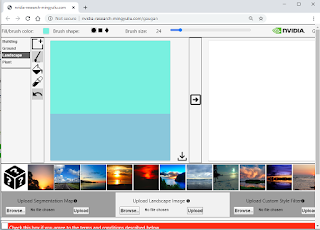
NVIDIA's GauGAN AI Machine Learning Tool creates photorealistic images from Simple Hand Doodling http://nvidia-research-mingyuliu.com/...