Showing posts with label Oracle. Show all posts

14.8.07

Oracle Tracing SQL Scripts

With the following code, you can enable ouput in Oracle, in order to debug your SQL scripts;

SET SERVEROUTPUT ON
DBMS_OUTPUT.ENABLE(1000000);

Then you can debug your trigger, procedure or functions by adding the following line, wherever you need an output in your code;

...
DBMS_OUTPUT.PUT_LINE('A test string.. ' | | 'another string..');


[ | | means concatenating the strings]


When you need to measure how much time is consumed between steps of your code, following may help further;

v_time := dbms_utility.get_time;
...

DBMS_OUTPUT.PUT_LINE('Time used: ' | | (dbms_utility.get_time - v_time) / 100 | | ' secs');


whereas v_time declared as number in Oracle;

declare
v_time number;

10.8.07

Debugging Oracle PL/SQL from Visual Studio 2005

The new, integrated PL/SQL debugger in ODT 10.2.0.2 allows you to remain inside of Visual Studio for end-to-end debugging of your .NET and Oracle solution. You can now debug PL/SQL code such as procedures and functions (both stand-alone and packaged), object methods, and triggers from within the Visual Studio environment in the same way as you would debug your C# or VB.NET code. With the ODT integrated PL/SQL debugger, you can use traditional debugging features such as setting break points, viewing and modifying variable values, and examining the call stack.
Check this site for more information and step-by-step tutorial.

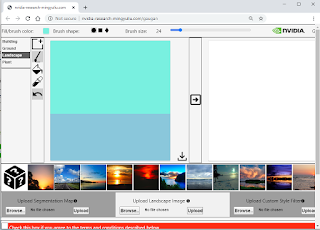
Nvidia's GauGan App

NVIDIA's GauGAN AI Machine Learning Tool creates photorealistic images from Simple Hand Doodling http://nvidia-research-mingyuliu.com/...