This adds the ability to Right-Click on a .dll- or .ocx-File
and get the Register / UnRegister options, which then registers using the "regsvr32.exe"-Program.
Copy and paste the following lines in your text-editor, save as "RegisterDLL.reg"-file and then run the file with double-click.
REGEDIT4
; .DLL files
[HKEY_CLASSES_ROOT\.dll]
"Content Type"="application/x-msdownload"
@="dllfile"
[HKEY_CLASSES_ROOT\dllfile]
@="Application Extension"
[HKEY_CLASSES_ROOT\dllfile\Shell\Register\command]
@="regsvr32.exe \"%1\""
[HKEY_CLASSES_ROOT\dllfile\Shell\UnRegister\command]
@="regsvr32.exe /u \"%1\""
; .OCX files
[HKEY_CLASSES_ROOT\.ocx]
@="ocxfile"
[HKEY_CLASSES_ROOT\ocxfile]
@="OCX"
[HKEY_CLASSES_ROOT\ocxfile\Shell\Register\command]
@="regsvr32.exe \"%1\""
[HKEY_CLASSES_ROOT\ocxfile\Shell\UnRegister\command]
@="regsvr32.exe /u \"%1\""

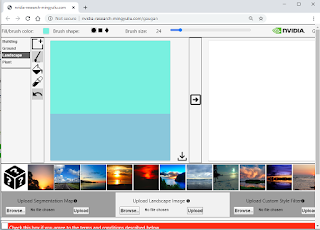
Nvidia's GauGan App
NVIDIA's GauGAN AI Machine Learning Tool creates photorealistic images from Simple Hand Doodling http://nvidia-research-mingyuliu.com/...
-
 In einem Blog auf ZDNet.com werden die aktuellen technologischen Trends sehr gut dargestellt. http://www.zdnet.com/article/the-enterpri...
 -
Code Snippet Index Page (from KTM Wiki) A Access DPI Access an External Database Active Page Index Add a Word Add an Alternative ...
-
 Here are two links with Microsoft's free Ebook links: Largest FREE Microsoft eBook Giveaway: Microsoft eBooks from Eric Ligman (Micros...