A great prensentation of Basware from prezi
http://prezi.com/dkpvsz0d-o-s/basware-for-dummies/#
10.9.14
1.7.14
How to get rid of insufficient storage available error on Samsung Note I
By opening the SysDump with the special code
- Open the "Phone" app and switch to Keypad.
- Dial
*#9900# - On the screen "SysDump" appears with some buttons, click on the button labelled "Delete dumpstate/logcat".
- Do not forget the exit SysDump with "Exit" button at the end.

29.6.14
Windows 8.1 WLAN Hotspot Access Point with board instruments
Windows has with netsh command very useful instruments to enable a laptop or desktop WLAN hotspot to share internet access with tablets, smartphones or other laptops.
("Internet Connection Sharing" must also be enabled for the selected adapter.)
Here is the description of the netsh hosted-network description:
C:\WINDOWS\system32>netsh wlan set hostednetwork
One or more parameters for the command are not correct or missing.
Usage: set hostednetwork [mode=]allow|disallow [ssid=]
[key=] [keyUsage=]persistent|temporary
Parameters:
Tag Value
mode Specifies whether to allow or disallow the hosted network.
ssid SSID of the hosted network.
key The user security key used by the hosted network.
keyUsage Specifies whether the user security key is persistent or
temporary.
Remarks:
This command changes the properties of hosted network, including: SSID
of the hosted network, allow or disallow the hosted network in the system,
and a user security key that is used by the hosted network.
The user security key should be a string with 8 to 63 ASCII characters,
eg. a passphrase, or 64 hexadecimal digits which represent 32 binary
bytes.
If keyUsage is specified as persistent, the security key will be saved
and used when the hosted network is started again in future. Otherwise
it will be used only when the current or next time the hosted network
is started. Once the hosted network is stopped, the temporary security
key will be deleted from the system. If keyUsage is not specified, it
is persistent by default.
This command requires administrator privileges to allow or disallow the
hosted network.
Examples:
set hostednetwork mode=allow
set hostednetwork ssid=ssid1
set hostednetwork key=passphrase keyUsage=persistent
You can combine the parameters in one command.
The following shows a sample usage in order:
1. Settings for WLAN hotspot
netsh wlan set hostednetwork ssid=myLaptop key=mySecretKye93 keyUsage=persistent
2. Start hosted-network
netsh wlan start hostednetwork
3. Check the status
netsh wlan show hostednetwork
4. Stop hosted-network
netsh wlan stop hostednetwork
("Internet Connection Sharing" must also be enabled for the selected adapter.)
Here is the description of the netsh hosted-network description:
C:\WINDOWS\system32>netsh wlan set hostednetwork
One or more parameters for the command are not correct or missing.
Usage: set hostednetwork [mode=]allow|disallow [ssid=]
[key=]
Parameters:
Tag Value
mode Specifies whether to allow or disallow the hosted network.
ssid SSID of the hosted network.
key The user security key used by the hosted network.
keyUsage Specifies whether the user security key is persistent or
temporary.
Remarks:
This command changes the properties of hosted network, including: SSID
of the hosted network, allow or disallow the hosted network in the system,
and a user security key that is used by the hosted network.
The user security key should be a string with 8 to 63 ASCII characters,
eg. a passphrase, or 64 hexadecimal digits which represent 32 binary
bytes.
If keyUsage is specified as persistent, the security key will be saved
and used when the hosted network is started again in future. Otherwise
it will be used only when the current or next time the hosted network
is started. Once the hosted network is stopped, the temporary security
key will be deleted from the system. If keyUsage is not specified, it
is persistent by default.
This command requires administrator privileges to allow or disallow the
hosted network.
Examples:
set hostednetwork mode=allow
set hostednetwork ssid=ssid1
set hostednetwork key=passphrase keyUsage=persistent
You can combine the parameters in one command.
The following shows a sample usage in order:
1. Settings for WLAN hotspot
netsh wlan set hostednetwork ssid=myLaptop key=mySecretKye93 keyUsage=persistent
2. Start hosted-network
netsh wlan start hostednetwork
3. Check the status
netsh wlan show hostednetwork
4. Stop hosted-network
netsh wlan stop hostednetwork
8.6.14
Open Coursewares auf Deutsch
- Hasso-Plattner Institut https://openhpi.de/

- Tele-Task http://www.tele-task.de/

- I-Versity https://iversity.org/courses
7.6.14
Robocopy GUI: Yarcgui
Robocopy (Robust File Copy for Windows) is a very strong tool, which integrated in Windows since Vista. But the tool has lots of parameters which makes it a bit difficult to use.
Yarcgui, which stands for "Yet Another RoboCopy Graphical User Interface", is a freeware tool to start the Robocopy in a graphical user interface with context helps and so on.
http://yarcgui.wilkes.es/
Yarcgui, which stands for "Yet Another RoboCopy Graphical User Interface", is a freeware tool to start the Robocopy in a graphical user interface with context helps and so on.
http://yarcgui.wilkes.es/
AntiVirus Rescue Systeme
- Avira Antivir Rescue System
http://www.avira.com/en/download/product/avira-rescue-system - Kaspersky Rescue Disk
http://support.kaspersky.com/viruses/rescuedisk - AVG Rescue CD
http://www.avg.com/ch-de/avg-rescue-cd
http://rufus.akeo.ie
Zuverlässigkeit Prüfen in Windows 8
Die Zuverlässigkeitsüberwachung wird mit "perfmon /rel" gestartet. Es öffnet sich ein Fensterm in dem die Zuverlässigkeit und Problemverlauf nach Tagen oder Wochen aufgelistet werden.

Subscribe to:
Posts (Atom)
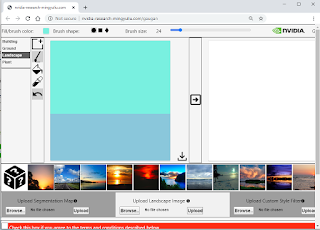
Nvidia's GauGan App
NVIDIA's GauGAN AI Machine Learning Tool creates photorealistic images from Simple Hand Doodling http://nvidia-research-mingyuliu.com/...
-
Code Snippet Index Page (from KTM Wiki) A Access DPI Access an External Database Active Page Index Add a Word Add an Alternative ...
-
 In einem Blog auf ZDNet.com werden die aktuellen technologischen Trends sehr gut dargestellt. http://www.zdnet.com/article/the-enterpri...
-
Windows has with netsh command very useful instruments to enable a laptop or desktop WLAN hotspot to share internet access with tablets, sma...